The Remaining Components

Well, the BMP180 modules showed up!bmp180Looking intact and ready to rock! I had attempted to contact the seller, because I had received no confirmation or tracking number or anything, and it was at the later end of the expected delivery time. All I had was the Paypal confirmation of payment, which is of little reassurance. I suppose if they show up it’s not all that important to communicate…. Anyways, 2 BMP180 modules!

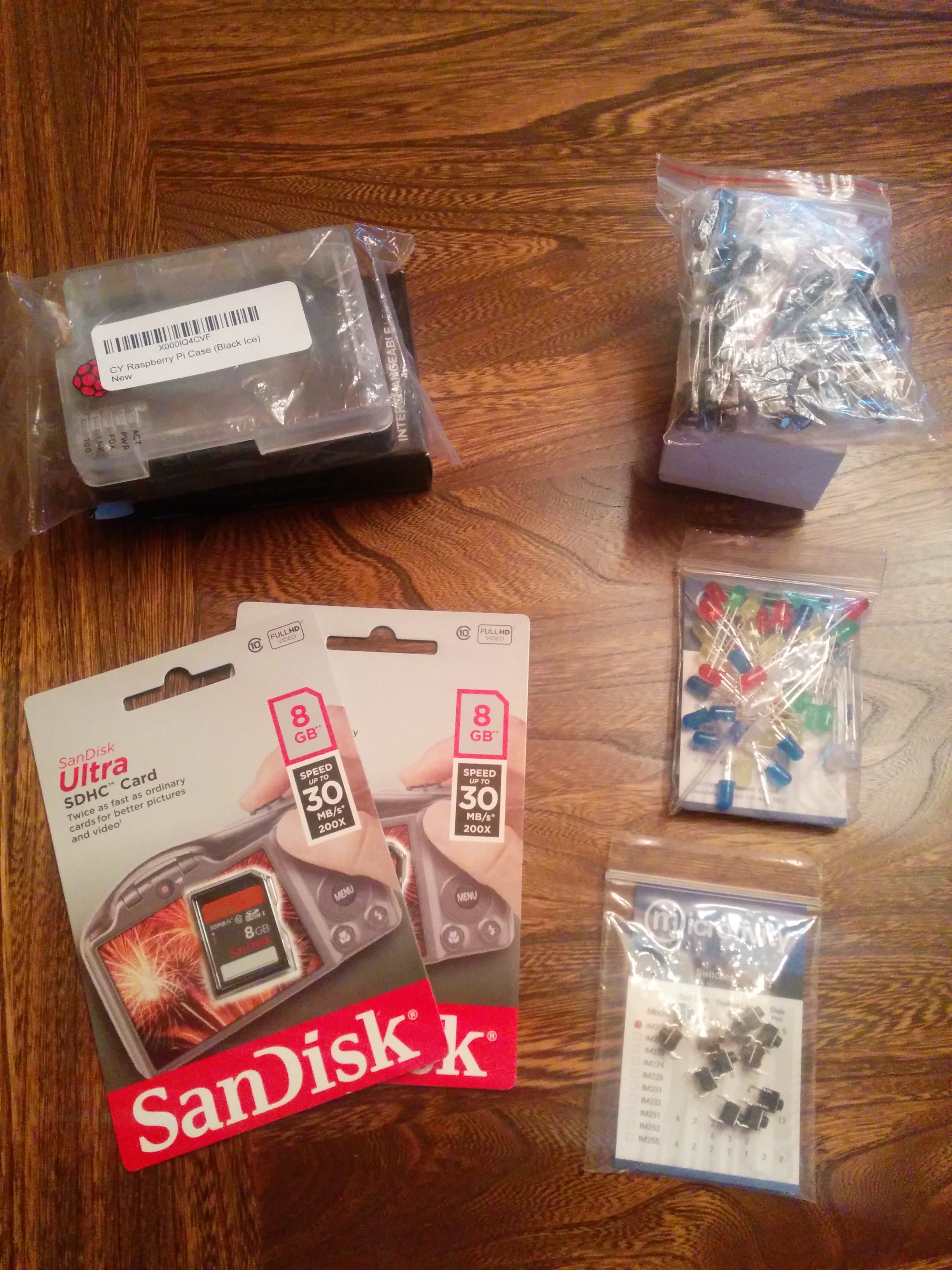
Cailyn also went and picked up the rest of the stuff that hadn’t shipped to the house.

IMG_20140520_185011

A week and a half out from the course start date, good to have everything in order and ready to go. My brother gave us an old desk of his that we’ll likely turn into our electronics work table, so we’ll have some space dedicated to stuff like this. Definitely excited to see it all start.

A little MOOC with my Pi

Amidst a relatively large number of more spammy seeming emails, Oracle sent me one pertaining to a Massive Open Online Course (MOOC) that they were repeating: Develop Java Embedded Applications Using a Raspberry Pi. Apparently there had been an overwhelming response to it the first time around. My source for this is the Oracle site Based on the overwhelming response for the Java Embedded MOOC currently underway – we are offering the course again.”

Regardless, it seems right up my alley with respect to the other things I have going on in my life, so I figured I’d give it a shot. It also happens to be an excellent continuation for Cailyn as she had just started learning Java and was exploring the world of Arduino before we moved. She was working on a wireless temperature sensor, but that was pretty successfully interrupted by our huge life change. This seemed to both of us like an awesome way to get back on track.

They had one big kit of everything you needed for the course, fulfilled by Adafruit, which seemed pretty handy. You are able to buy the hardware kit bundled with a Raspberry Pi Model B, or without if you already own one. Cailyn and I both opted to get the pack with a Raspberry Pi, which leaves my first one open to the other half-baked side projects I’ve been trying with it. Unfortunately up until yesterday the expected wait time for either the pack was on the order of 15 – 30 business days, which is essentially unavailable. Yesterday I got a notification that they were available, and over the course of about 12 hours the stock dwindled to the same 15 – 30 business day availability. We went and found all of the components online and pieced it together ourselves, and the price ended up being similar, but not ideal. We paid more because nobody sells a single capacitor of exactly the type we need with no shipping charge, but it ended up in an acceptable ballpark.

EmbeddedJavaMOOC3

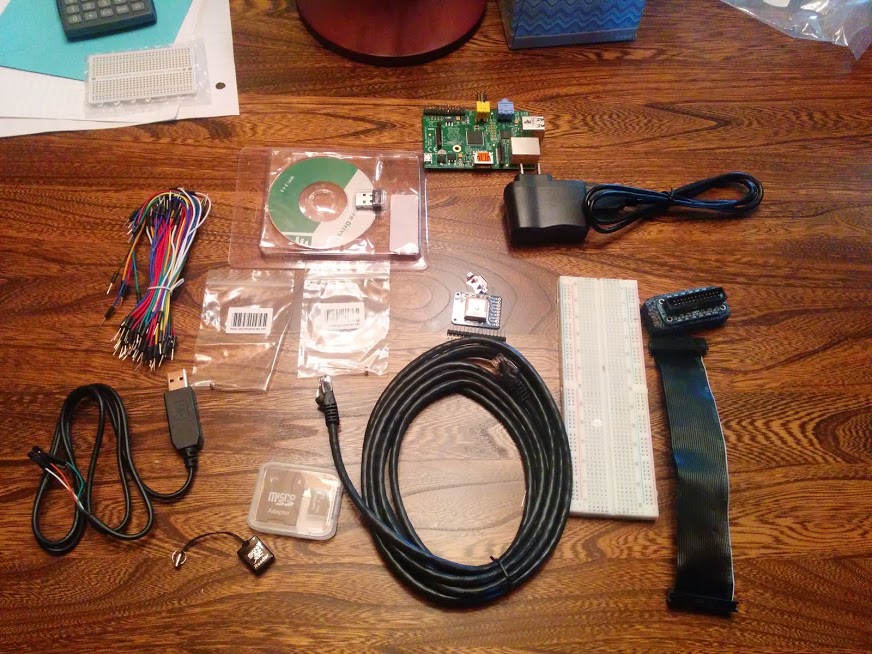
We bought most of it from Adafruit anyways, and that showed up promptly. A couple more stragglers were purchased from elsewhere, or shipped to Ogdensburg (we order quite a bit there). Here’s a view of everything we’ve gotten so far (plus the bonus breadboard that Adafruit shipped as a gift in the top left corner.

EmbeddedJavaMOOC2

Bill of materials

Sub-Total: $300.70
Sales Tax: $0.00
United Parcel Service (1 pkg x 4.74 lbs total – EXPRESS SAVER): $33.25

Total: $333.95

There was also some COD, but I have no idea how much that was yet. We’re waiting on a couple more pieces.

We got the BMP180 modules from ebay, because they were out of stock on Adafruit, which came out to $28.04 taxes and shippping in for the two of them. Ended up buying them from the UK, apparently as of ~4 months ago there was a global shortage of the sensors or something of that nature, so they were a little difficult to come across. It appears to be the same sensor that SparkFun stocks, but we’ll see when they get here. 

The last couple pieces we ended up buying through Amazon, and this is where we got more than we needed.

So all told we purchased ~422.74$ worth of stuff for the two of us after taxes and shipping. Had we been able to purchase the packs through Adafruit it would have been 2 * 149.95 + ~40$ shipping, or around 340$. A difference of around 80$, or 40$ each, is significantly more expensive, but our options were limited. You can’t really buy a single capacitor and expect it to be economical, but that only explains about 1/3 of the cost. In the end the rest of the difference comes from not being able to get it all in one place. It really makes sense to get tiny hardware bits all from the same source because even if the item is only a couple dollars the shipping adds up fast. All in all, not ideal, but we’re both super excited to be able to participate in this course and have the equipment. The only thing we’re still waiting on right now is the BMP180 modules, so I’m hoping they come soon…


File System Formats Suck

The hard drive I keep all of my media on has started to show signs of nearing it’s end of life. Read/write speeds dropping, sounds that are not “whiiiiiiiiirrrrrrr” coming from it, all the standard stuff. That means I have to back it all up. That means a new hard drive, which I’m okay with because they’re relatively cheap these days. Wound up with a 3TB Seagate Expansion Drive, which seems to fit the bill quite handily. The thing I’m not so okay with is file systems. Full disclosure – I don’t really know much about them, and I don’t really care to, but if I were to sum up my opinion it would be this: they suck. I don’t really understand why they’re such a pain. Using various distributions of Linux, OSX, and Windows 7 and 8.1, you would think there was an easy solution. As I list those though, I can see that maybe it’s not ridiculous that there isn’t something trivial, but still. NTFS, FAT32, exFAT… Everything is a bit of a pain. FAT32 certainly has OS support behind it, of course if you have any HD movies or disk images and it’s 4GB file size limit removes it from the equation pretty quickly. The internet seems to be chock full of people who have gotten NTFS disks reading and writing away to/from OSX with relative ease, and for them it seems to be an easy solution. For myself, it just doesn’t quite work. Sometimes it does, sometimes its finicky, and sometimes it doesn’t. Likely I’m just doing it wrong, but there’s something that rubs me the wrong way of having to coerce the machine to write to an NTFS drive that it just read from, so it’s difficult to make a sincere effort when it doesn’t work immediately.

I ended up going with exFAT, using fuse-exfat in Ubuntu, and it works out of the box in OSX and on Windows systems. The fact that Microsoft *owns* it is a bit discouraging, as is the fact that it’s apparently not finalized, but I don’t know the ramifications of that and I don’t really know of a usable alternative. Can’t win. Of course it doesn’t help that shortly after removing all of the files from my failing hard drive, I removed the new drive from the computer without properly ejecting it. I’ve done this hundreds of times with various forms of media and various computers, but this time it did not go so well. I have a cursory understanding of write-caching and processes I’m not aware of interacting with the drive, but once again it seems like the software should be sophisticated enough to not die. From some quick reading it looks like Windows disables write caching on drives it deems “removable”, although that’s not a well defined term in the Windows context, but OSX does not. With no understanding of file systems, it *seems* like the files being accessed would be corrupted, and perhaps the space allocated for them, but one would think the system as a whole would be able to handle this. OSX certainly could not, and deemed the drive irreparable, read-only, and on it’s way down.

At least I got some good practice backing up content? I see a NAS in my not too distant future…

PROPERTY BOUNDARIES

In the previous post, I discovered a reasonable way to obtain aerial imagery, but it wasn’t supremely useful for sizing up properties (literally and figuratively). Houses would often list the parcel size (mostly a ballpark), but it was not at all apparent what shape that parcel was. Parcelling property also seems to be a relatively arbitrary process when it comes to the geography, prioritizing ease of surveying and recording over usefulness. For example, we looked at this property:

Screenshot-2014-03-11-17.31.22

The listing said it was a certain size, I believe somewhere in the 4 acre range. Our experience was if you showed enough interest, you might be able to get a copy of the survey, or sometimes just a picture of a copy of the survey. Sometimes it was easier to just guess.

I’m not sure why you can’t make shapes on Google Maps directly, but we used DaftLogic’s area tool to try and find a ballpark. Unfortunately you’re left with a different image to play with, but you can still get a rough idea. Being optimists, we had hoped the property would looks something like this – it made sense and it was the right size:

Screenshot-2014-03-11-17.38.20-289x300

Right? Underneath the very clear line of active agriculture, aligned with the trees to the North, almost exactly the right area. Surely it must be in the ballpark.

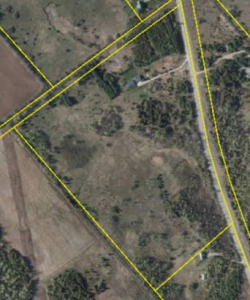
Only later, when introduced to GeoOttawa did we find out the actual parcel. Turns out GeoOttawa has an awesome overlay feature. One of those overlays is property parcels, which could not be more perfect. It also revealed the unfortunate truth:

Screenshot-2014-03-11-17.51.29-edited-300x272

So this property went from pretty compelling to pretty awful. The back section is cut off by a municipal drain, apparently the farmer to the North is using part of the property, and there is a ditch cutting the property in two – generally not a great parcel. Lesson being, going in armed with the actual property parcel can quickly eliminate duds.

Long story short, we were able to get the actual property parcel for our land!

Screenshot-2014-03-11-18.29.46-250x300

AERIAL VIEW

When we were looking for houses, the lot the house was on had a pretty huge impact on how we felt about it. Looking for someplace with enough land to grow a sizeable vegetable garden meant that there was usually a decent sized parcel as well. Side note: Its surprising how poor the information is about listed houses. It doesn’t seem crazy at all to me to have the parcel available. Whenever we went to a viewing we tried to come prepared with the aerial view, however that could be obtained.

Actual aerial photography was pretty out of the question (I looked at drones and RC flying machines briefly…), so satellite/publicly available imagery seemed to be the solution. First things first, obviously checked Google Maps. The area is relatively uninteresting and rural, so the imagery wasn’t fantastic. If you can see the dot at the end of the driveway, that’s the house.

2014-03-11-16.27.14

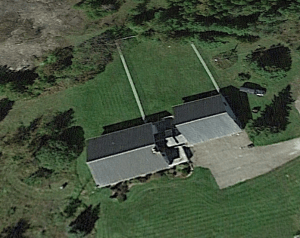
Turns out that with the new Google Maps it’s not trivial to find the date the imagery was taken. The first result on Google lead me to this site which said the only way to get the imagery date was to download Google Earth. A short download later, and I discovered that apparently Google Maps uses a different dataset, because the house was visible with a *little* more resolution.
Screenshot-2014-03-11-16.41.50-300x238

To be fair, the resolution wasn’t nearly that high when I first looked. The date stamp on it is 24/09/2013, so at the time of this writing it’s less than 6 months old. Presumably it took a couple months to get the imagery up there. The big issue with this was now we had an aerial view of the land – where are the property lines?

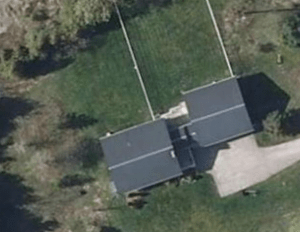
Our real estate agent actually pointed us towards a utility that I was unaware of (available here), and it turns out that the data is pretty awesome. At the time it was by far the best imagery I had seen. Not only that, it had imagery dating from 1976 (before the house was even built) up to 2011. Not annual images, but enough years to be really cool to look through.
Screenshot-2014-03-11-16.51.21-300x232

One thing you’ll notice by comparing the two is that Google Earth’s seems to be on a bit of peculiar angle. I suppose that’s just where the satellite was at the time? I certainly have no idea, and it’s not immediately perceptible what’s going on with the picture, but it skews things pretty noticeably when comparing two images. In particular, if you look at the length of the dog run it looks quite radically different.

So now we have a decent source for aerial imagery.